Driving meaningful engagement
between clinics and healthcare partners with valuable content.
With recent updates to the RxTro platform, all visitors to
primary care clinics—including pharmaceutical representatives,
allied health professionals, specialists, pathologists,
radiologists, and others—are now required to add relevant content to
their accounts.
This content can include a
practitioner profile, facility, programme, product, or event and
must be attached whenever an appointment is created with a
clinic.
Let us look at how it works:
Step: 1
After you log
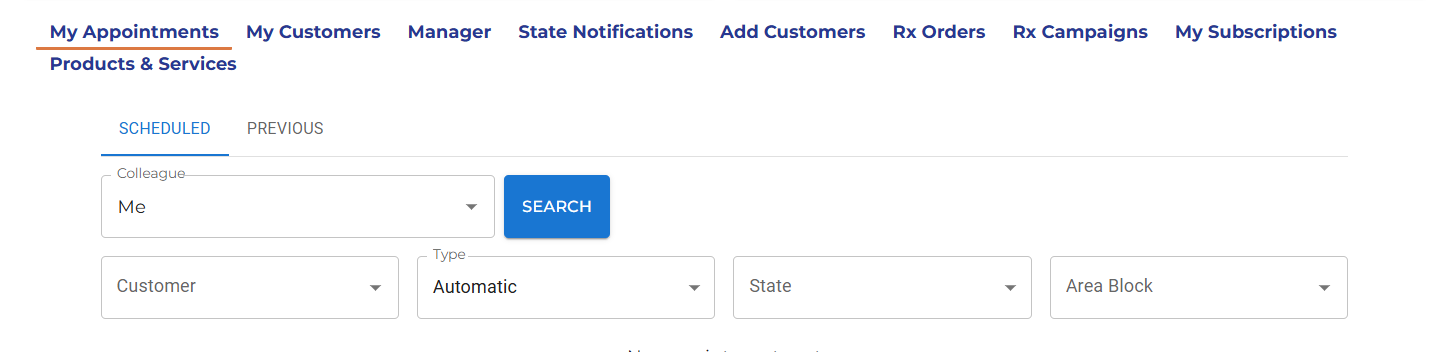
on to RxTro platform, navigate to: My Appointments
Step: 2
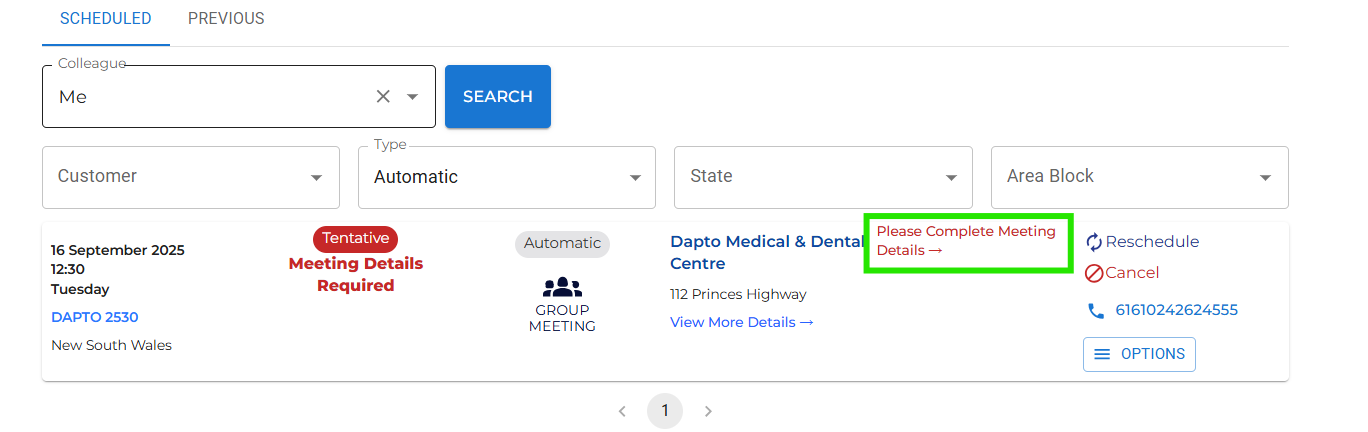
If you have booked an appointment for any day after September 1, 2025, you will be prompted to add meeting details. A 'red tag' will show up that says 'Meeting details required'.
Click 'please complete meeting details' to enter your details.
Step: 3
Just enter the relevant meeting details on the form that opens up and click 'SAVE' to activate/keep your existing appointments. If you have already UPLOADED YOUR CONTENT on RxTr0, you can select ONE or MORE content from the drop-down menu.
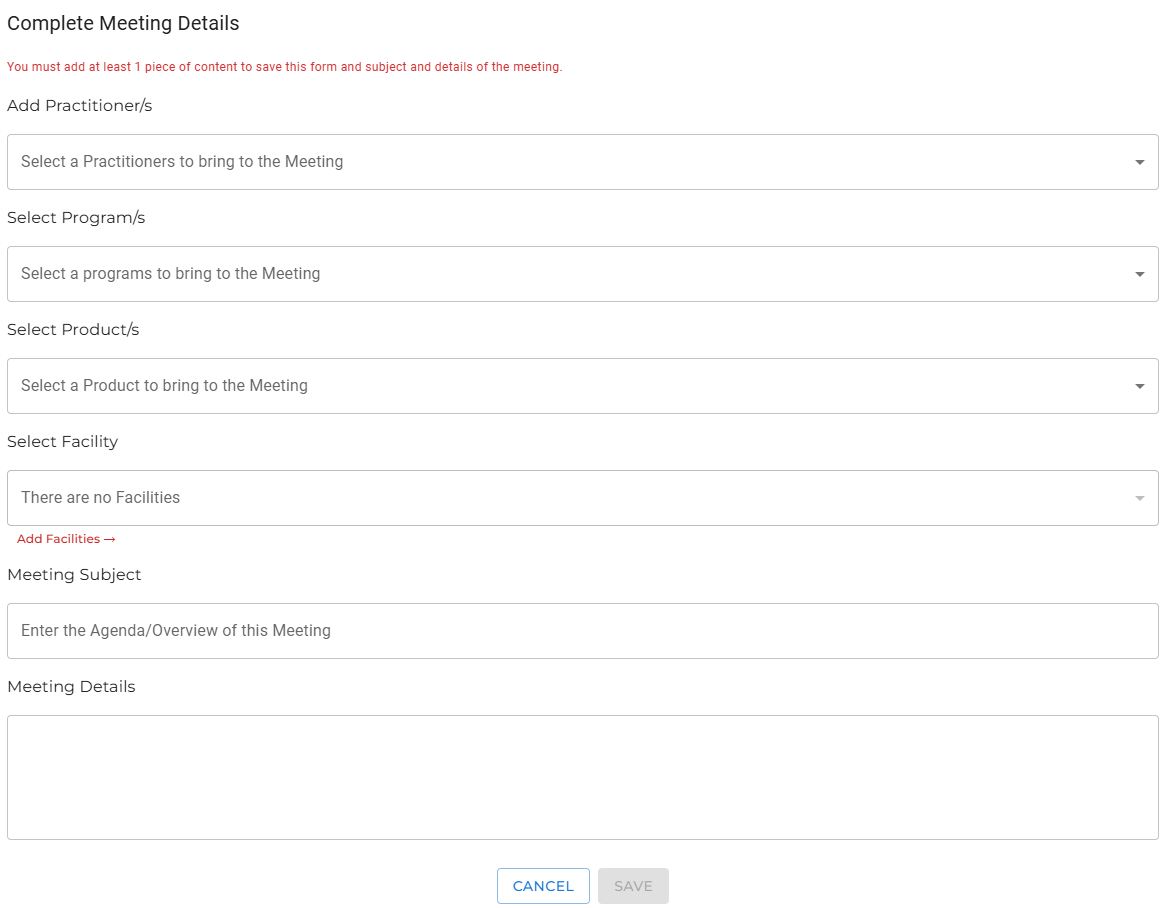
[Please note: The drop-down menu with your content details will only appear if you have already uploaded content to RxTro.] To keep your appointments active, please upload your content if you haven't already.
To upload content, log in to your RxTro account, go to Products & Services, and select 'Manage – practitioner, product, program, facility, or event' to upload.
Step: 4
After saving the meeting details, your appointments will show up as “Appointment Made” in green. This confirms that your appointment is active and ready, so you can proceed as planned with your clinic visit.
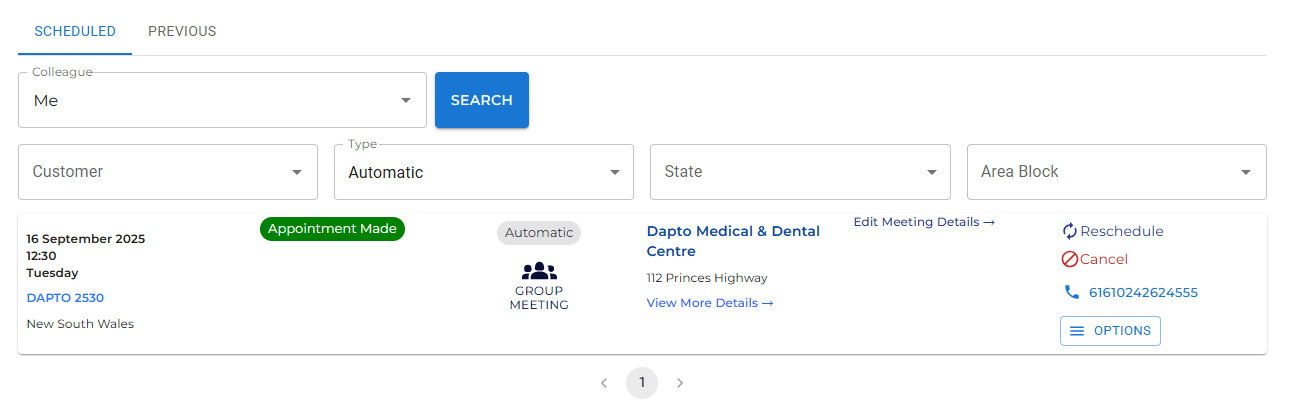
Once your appointment shows as “Appointment Made”, you’re ready to go. For the best experience, keep your content updated in RxTro.
If you need assistance,
please reach out to our support team.